Download and share your certificates
Find your certificates in the Certificate Wallet, download them as PDFs, and copy a verification link so an employer can confirm a certificate is genuine.
Your certificate wallet Link to “Your certificate wallet”
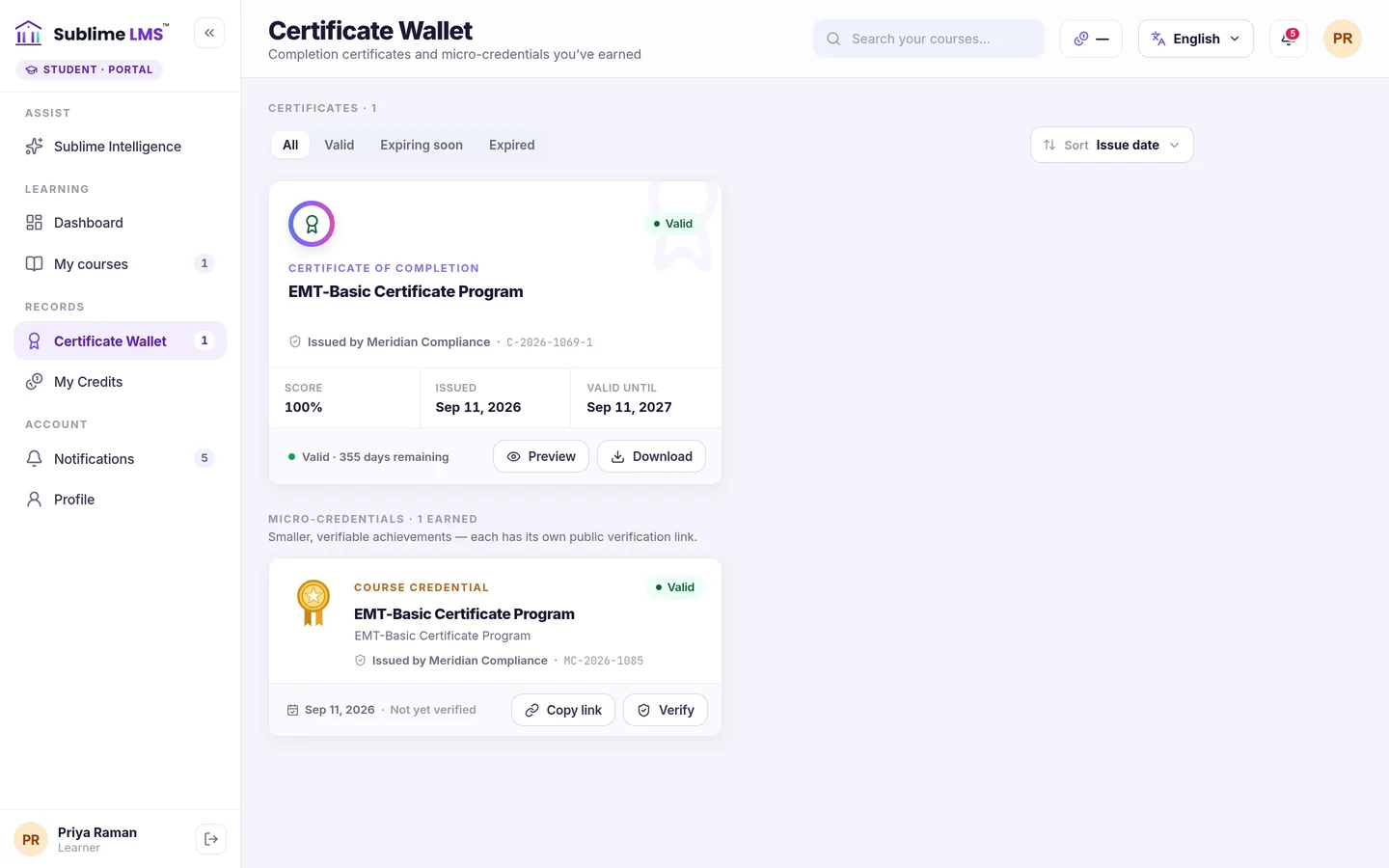
Every certificate and micro-credential you earn is kept in the Certificate Wallet in the student portal. Filter it by Valid, Expiring soon or Expired to see which need attention.
Related feature: The learning experience
Download a certificate Link to “Download a certificate”
- Open the Certificate Wallet.
- Choose Preview to see the certificate.
- Choose Download to save it as a PDF.
Was this article helpful?
Still need help?
Ask the Sublime AI Assistant. It answers what it can straight away, and passes the conversation to our team, with your contact details and the question, when a person is needed.