Set up recertification for a course
Turn on renewal for a course's certificates: set how long they stay valid, when renewal opens, reminders and grace periods, and track it on the Compliance dashboard.
Create a recertification policy Link to “Create a recertification policy”
Recertification is opt-in per course. Courses without a policy keep the usual certificate behavior.
- Open the course and its Recertification tab.
- Set how long a certificate stays valid (12 months by default) and whether it is counted from completion or a fixed due date.
- Set when early renewal opens (60 days before expiry by default) and any grace period.
- Choose the renewal course, and whether renewal is assigned automatically or manually.
- Set the reminders (30, 14, 7 and 1 days by default) and who receives them.
- Check the preview, which shows example dates and how many certificates would change, then save.
Related feature: Corporate learning & compliance
How learners renew Link to “How learners renew”
Learners start renewal from the course or their Certificate Wallet. Their current certificate stays valid until the renewal is complete; they then get a new certificate number, and the history is kept.
Track compliance Link to “Track compliance”
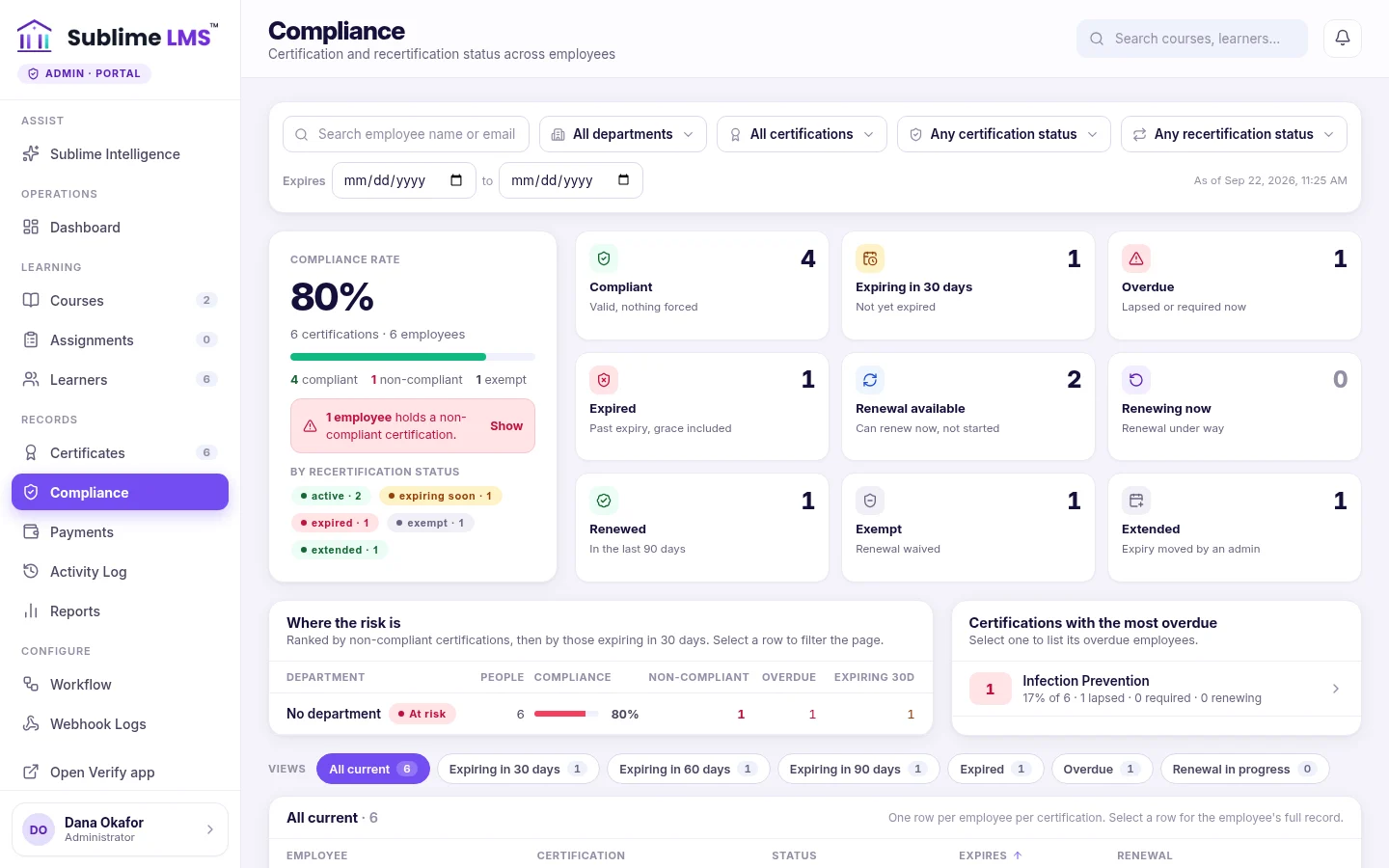
The Compliance screen counts certificates that are compliant, expiring, overdue, expired, renewing, renewed, exempt or extended. Administrators can require, assign, extend or exempt a renewal, with a reason recorded for each action.
Was this article helpful?
Still need help?
Ask the Sublime AI Assistant. It answers what it can straight away, and passes the conversation to our team, with your contact details and the question, when a person is needed.