Find and support at-risk learners
See which learners are flagged At risk and why, filter the roster to them, and send catch-up nudges or messages. Nothing is sent to learners automatically.
On this page
What At risk means Link to “What At risk means”
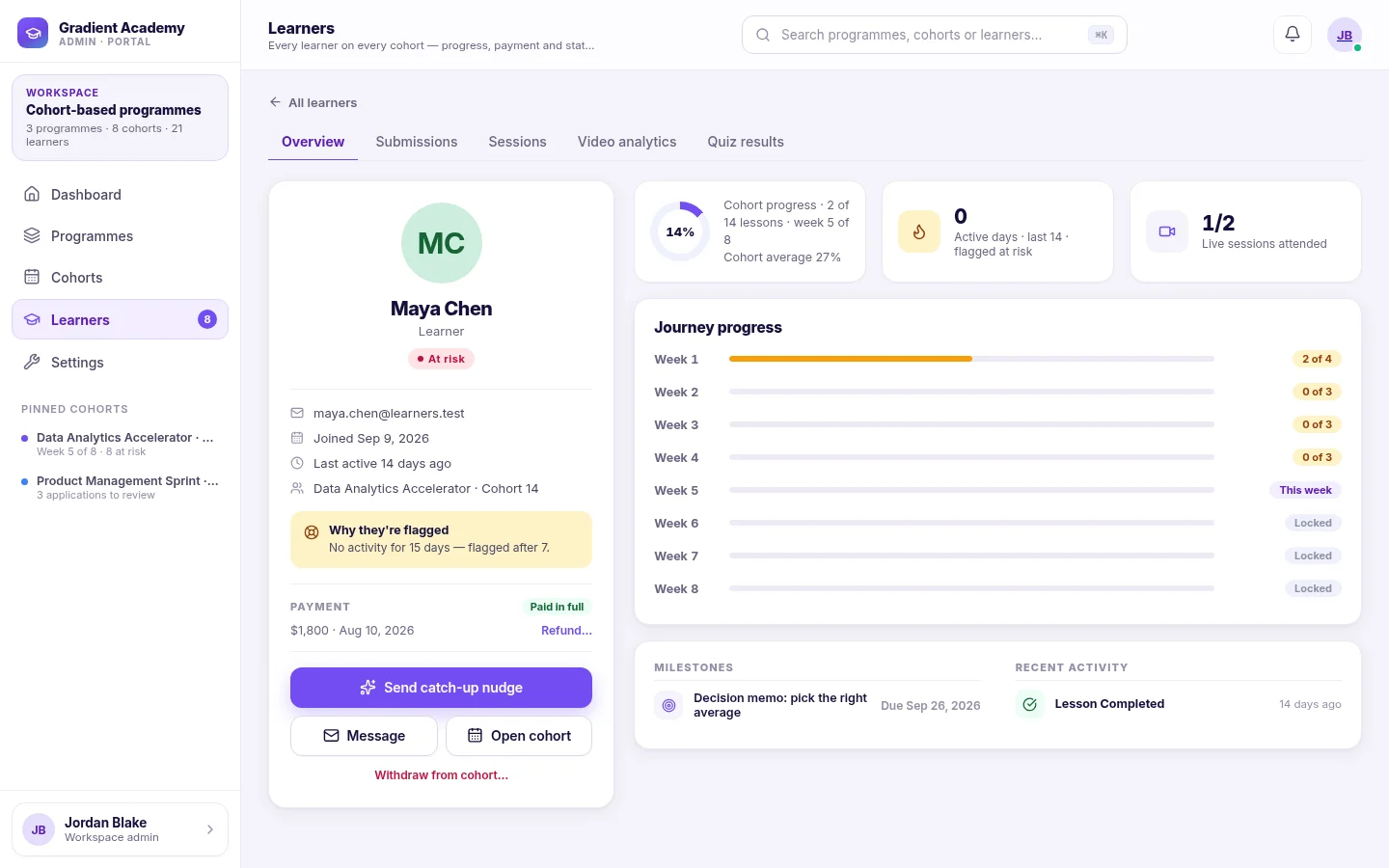
A cohort learner is flagged At risk when they have had no activity for 7 days, or when their progress is more than 25 points behind the cohort's schedule. The status is recalculated as they work and clears on its own when they catch up.
Each learner has one of four statuses: Not started, On track, At risk or Completed.
Find flagged learners Link to “Find flagged learners”
Filter a cohort's roster to At risk, or use the Learners screen to see at-risk learners across all live cohorts. A learner's profile explains in words why they are flagged.
Related feature: Recovery workflows
Reach out Link to “Reach out”
Administrators can send a catch-up nudge to one learner or to every at-risk learner in a cohort, and can message learners. Every nudge and message is sent by a person; Sublime LMS does not message learners on its own.
Was this article helpful?
Still need help?
Ask the Sublime AI Assistant. It answers what it can straight away, and passes the conversation to our team, with your contact details and the question, when a person is needed.