Build a quiz
Add a quiz lesson, choose from seven question types, and set the passing score, attempts allowed, question order and whether learners see the correct answers.
On this page
Add questions Link to “Add questions”
Add a lesson of type Quiz, then add questions. The admin quiz editor offers seven question types:
- Multiple choice, single answer
- Multiple choice, multiple answers
- True / False
- Matching
- Ordering / Sequence
- Scenario, decision
- Short answer
Related feature: Weekly quizzes
Quiz settings Link to “Quiz settings”
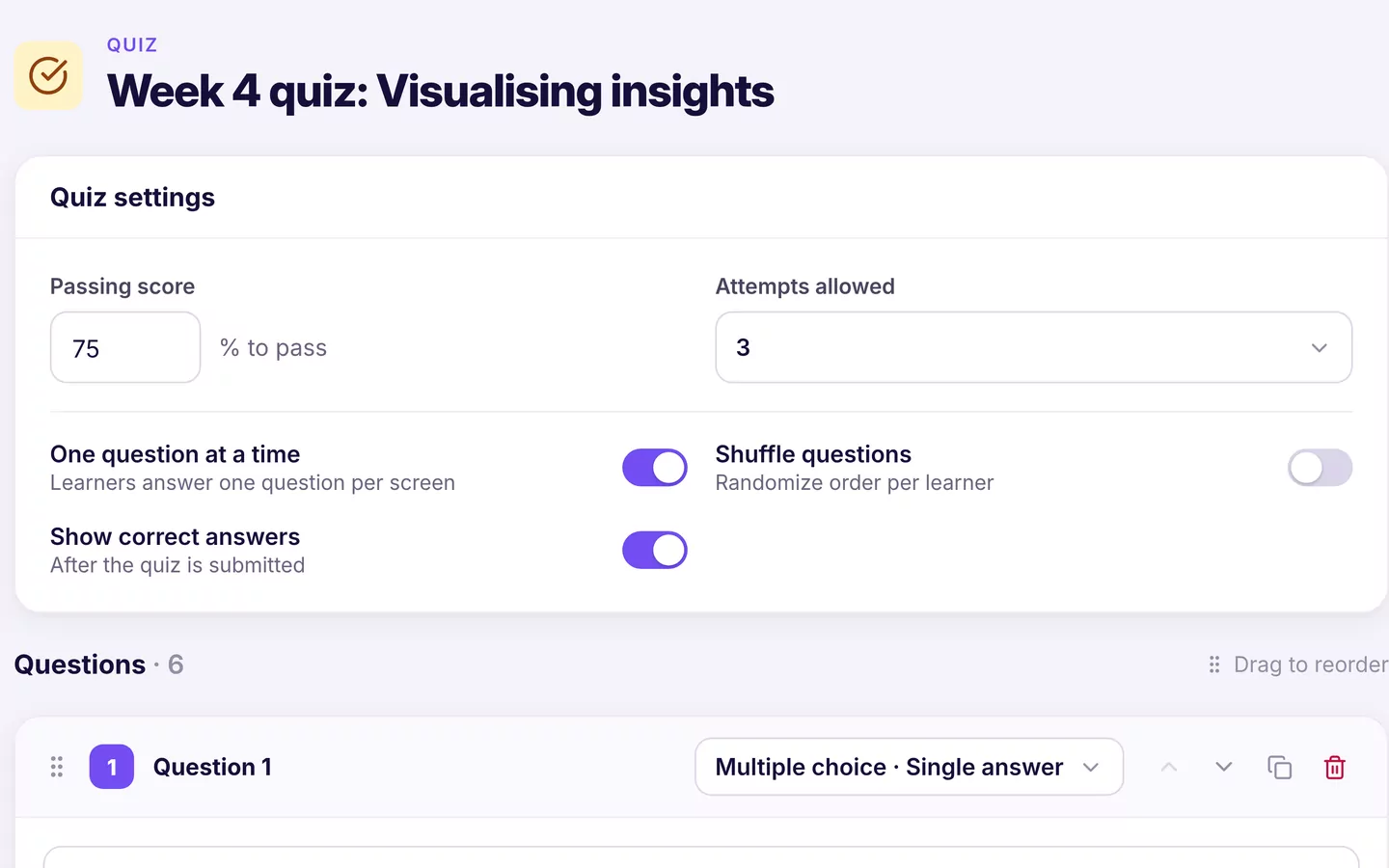
- Passing score: the percentage a learner needs to pass.
- Attempts allowed: a number, or Unlimited.
- One question at a time: show one question per page.
- Shuffle questions: change the order for each attempt.
- Show correct answers: reveal the answers after an attempt.
Quizzes and course completion Link to “Quizzes and course completion”
In the course's Settings tab, Require passing quiz makes completion depend on passing the course quiz, and Allow retakes lets learners try again after a failed attempt.
Was this article helpful?
Still need help?
Ask the Sublime AI Assistant. It answers what it can straight away, and passes the conversation to our team, with your contact details and the question, when a person is needed.